
Parts and Consumables Tracking for Your Repair Shop
Track, manage, and optimize your parts inventory - from oil barrels to spark plugs - with full control and transparency.

Managing parts and consumables in a busy repair shop requires more than just a spreadsheet. Our automotive repair shop program gives you a complete view of your parts inventory across every location, automatic leftovers calculations, flexible measurement units, and smart workflows that keep your technicians working and your costs under control.
Every Location Is a Warehouse
In our car service management program, each service location maintains its own independent inventory. Whether you run a single garage or a network of service centers, every location has its own tracked warehouse with full control cycle.
- Real-time stock levels - see at every location what's available, reserved for active repair orders, or currently in transit
- Reserved quantities - parts allocated to specific repair orders are tracked separately so they can't be double-used
- In-transit tracking - monitor parts being moved between locations with live status updates
- Per-location pricing - set sell prices and sell measurement units for each part at each location
- Sale or internal use - mark parts as available for customer sale or internal consumption only
This means you can manage your main warehouse, your branches, and even your mobile services as separate inventory points. And all of this within a single car repair shop management program.
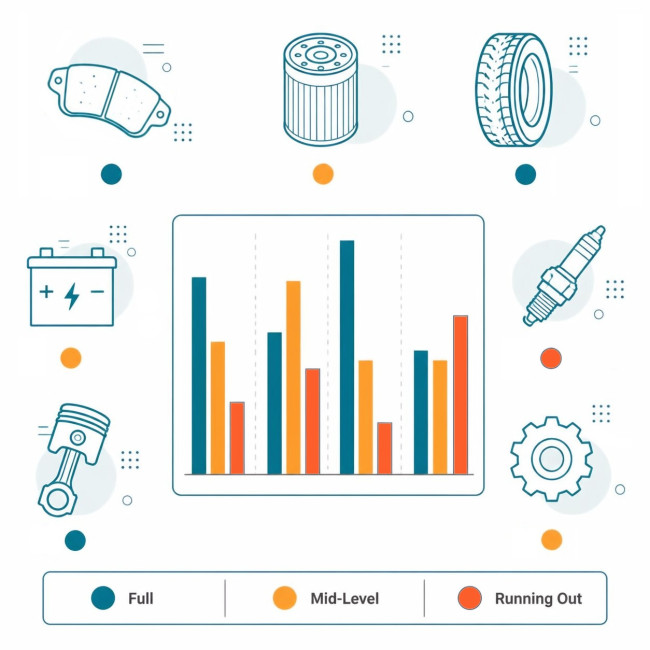
Organized Parts Catalog
Keep your inventory structured and easy to navigate with a hierarchical parts catalog built into our garage management software.
Whether you're looking for a specific brake pad or browsing all consumables, the auto repair shop management software keeps catalog your organized and efficient.
- Hierarchical categories - organize parts into unlimited nesting levels: engine parts → oil filters → specific models
- Complete part profiles - name, part number (SKU), manufacturer, country of origin, and detailed description
- Quick search - quickly find any part by several criteria
- Leftovers overview - see total stock, reserved, available quantity, and per-location availability for every part with ease
- Price management - set and update sell prices per part per unit per location from the user-friendly interface
Flexible Measurement Units with Automatic Conversion
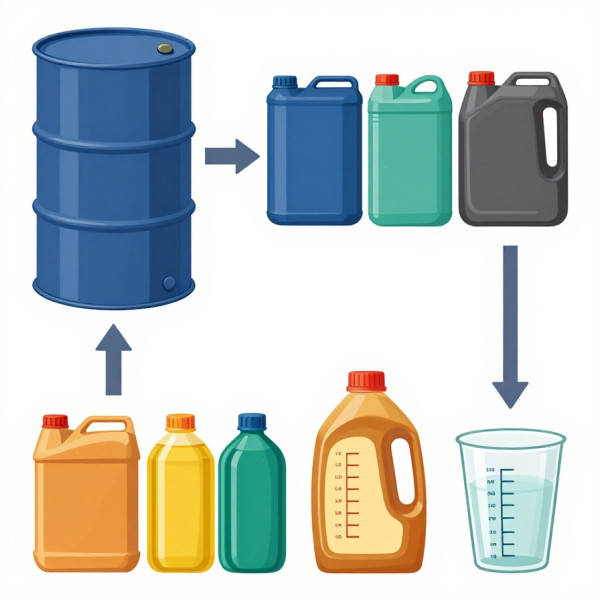
Parts come in different units - you buy oil in barrels or canisters but use it in liters. You order spark plugs in boxes of 8 but track them individually. Our parts inventory management software for auto shops handles all of the conversions automatically.
- Define your units - in addition to standard measurement units (like pieces, liters, milliliters, boxes, canisters, barrels, kilograms) create your own as you need them.
- Define Containers for convenience - create a "pallet of canisters" if you order supplies in big units, and keep your supply chain and workflow under the control. Spend and transfer syppied parts in any other related unit, and we will take care of the stock level tracking.
- Main unit per part - set a primary unit for each part (pieces for filters, liters for oil, etc.)
- Spending units - configure which units a part/material can be spent in, separate from how it's supplied and stored
- Automatic conversion - when you spend, transfer, or report, the system converts quantities automatically
- Rounding rules - configure how fractional quantities are rounded to keep your inventory accurate
Buy a pallet of canisters of engine oil, spend it in milliliters during repairs, and still track how many canisters remain. Our automotive repair tracking software does the math so you don't have to.
Automatic Leftovers Calculation
Never count inventory by hand again. Our repair order management software updates stock levels automatically with every operation. Here's how it works across the full lifecycle of your parts:
When a supply delivery arrives, parts are added to the warehouse inventory. The system records the supplier, quantity, unit, and cost - and your available stock increases immediately.
When parts are used on a repair order, inventory decreases automatically. Every deduction is linked to the specific repair order, work order, and task - giving you full traceability.
When parts move from one location to another, the source location's stock decreases and the destination's increases. The system tracks parts in transit so you always know where your inventory is.
When a technician has leftover parts after a job, they can return them to the warehouse. Inventory increases automatically, and the system records who returned what and when.
Technician specifies a reason for return: unused, wrong part, damaged.
Smart Consumption Approval - Automatic for Common Consumables
Not every part needs the same level of control. Our program for management of repair shop warehouse lets you set consumption approval rules per part, so low-value items flow freely while expensive parts get proper control.
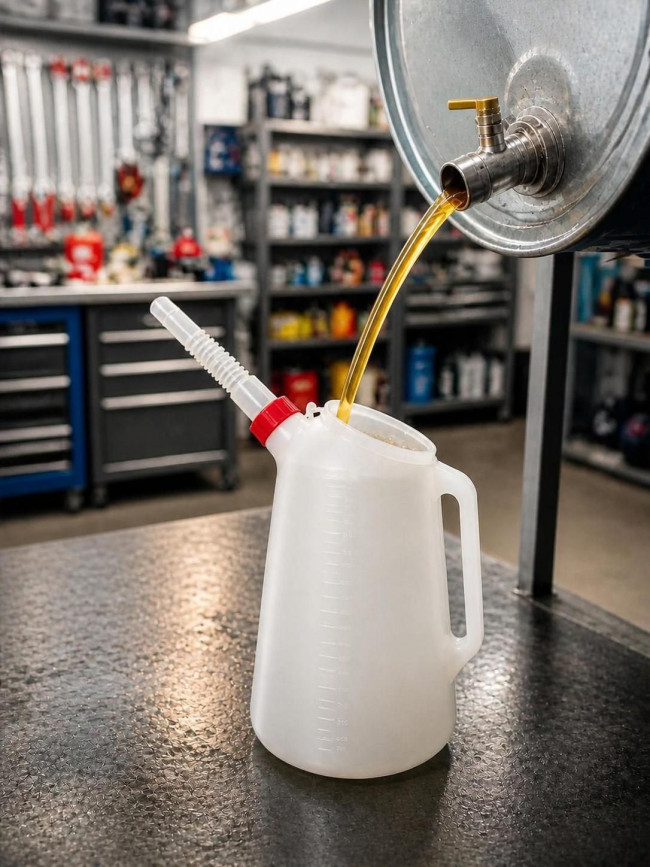
For common consumables, set automatic confirmation - no warehouse interaction needed: spray cleaner, oil drawn from a barrel, cleaning rags, gloves, masks and so on.
When a task uses an auto-confirmed part, inventory deducts immediately and automatically upon technician's request. The deduction is still linked to the repair order, work order, and task for full traceability - but your technicians don't need to wait for warehouse approval to complete the job.
This approach is essential for automotive repair workshops that needs to keep the workshop floor moving without sacrificing inventory control.
Warehouse Manager Control for Expensive or Uncommon Parts
For parts that need strict control - expensive components, filters, brake pads, tires, and other high-value items - our software to manage car repairs provides a structured approval workflow between the technician and the warehouse manager.
Part Consumption Workflow
1. Request from Technician
The technician creates a part request directly from the task management interface. The request includes the part, quantity, measurement unit, and the vehicle being serviced. The request is sent to the warehouse manager instantly.
2. Processing by Warehouse Manager
The warehouse manager reviews the request and can process it in one of following ways:
- Issue from stock - collect the parts already available in the warehouse and give them to the technician
- Add to purchase order - the part isn't in stock, so it's added to a purchase order. Once the supplier delivers and the parts are received into stock, they're collected and issued
- Move from another location - request the part from a different branch. Once the transfer arrives, it's then collected and issued
3. PIN Code Protection
The warehouse manager cannot give parts away without a PIN code. This security measure ensures that parts are only released to the correct person. The PIN code is known only to the requesting technician and authorized managers.
This prevents unauthorized part withdrawals and keeps your inventory accountable.
4. Real-Time Status Tracking
Technicians see the status of their requests directly in the program - no need to walk to the warehouse or make phone calls. Technician knows exactly what is happening with the parts of his requests, whether they are in purchase order, ordered, in transit, arrived or ready to pick up.
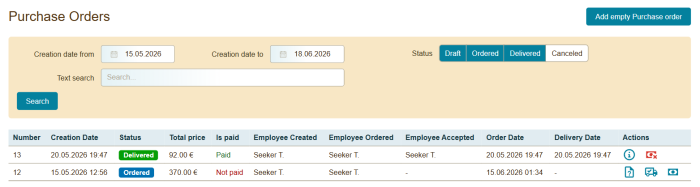
Purchase Orders for Consolidated Procurement
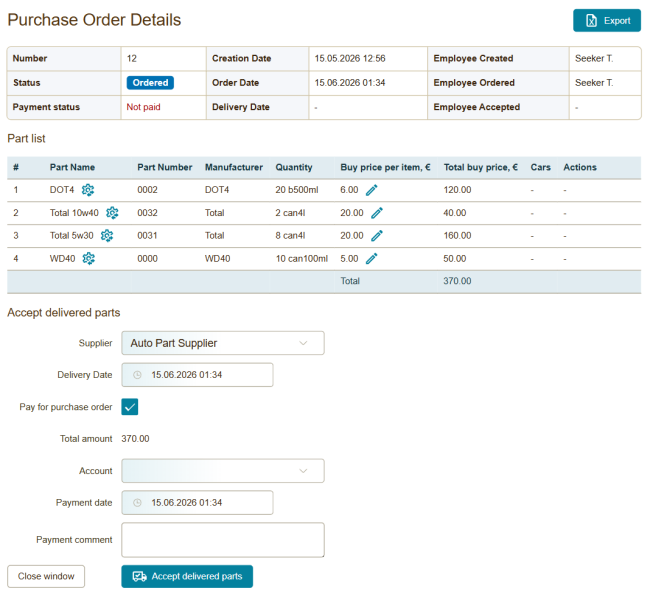
Stop placing multiple small, expensive orders. Our parts inventory management software for auto shops lets you gather multiple requirements into a single, efficient purchase order.
- Consolidate requests - combine parts needed from various technician requests into one purchase order for a specific supplier
- Merge into existing orders - if a purchase order already has undistributed quantity, use it to fulfill new requirements, or increase the order quantity
- Status tracking - track every order through its lifecycle: draft, ordered, delivered, canceled
- Payment control - record payments, select the account to pay from, and track which orders are paid or unpaid
- Document generation - automatically generate and download a spreadsheet file with purchase order; send it to your supplier for quote request
- Granular details - view part numbers, manufacturers, quantities in various measurement units, and which vehicle (VIN) the parts are intended for
- Supply delivery - when parts by purchase order arrive from the supplier, record the delivery and add them to your warehouse inventory
- Automatic distribution - arrived spare parts are automatically reserved for awaiting tasks when needed
This optimized approach is what makes our tool one of the most reliable repair shop software options for business who need to keep their supply chain running smoothly.
Built for Multi-Location Companies
When you operate multiple car service centers, parts management becomes significantly more complex. Our multi-location auto repair shop software provides the tools to coordinate inventory across your entire network.
Create and track parts transfers between your locations:
- Create a movement specifying the source and destination locations
- Add the parts needed, quantities, and measurement units
- Automatic inventory updates: the source location's stock decreases, the destination's increases
- Monitor parts currently in transit so you always know where your inventory is
This reduces the need to over-order from suppliers when one branch has excess stock that another branch needs.

Check real-time stock levels for every warehouse in your repair service network from a single screen while working in our car workshop management program. Know which locations have excess stock and which are running low, so you can make informed decisions about transfers and purchases.
Generate inventory and consumption reports across all locations or go down to a single branch. Compare stock levels, track spending patterns, and identify opportunities to optimize your parts management across the entire network.
Reporting and Analytics
Our car service management system includes powerful reporting tools that give you deep insights into your parts inventory and consumption patterns. Make informed decisions about purchasing, pricing, and stock levels.
Inventory Stock Levels Report
Get a complete snapshot of your parts inventory across all locations:
- Total quantity - the full amount of each part across all locations
- Reserved quantity - parts allocated to active repair orders that can't be used elsewhere
- Available quantity - stock that's free to be issued to technicians
- In-transit quantity - parts currently being moved between locations
- Filter by location, part category, and availability status
- Search by part name or part number
This report is essential for auto repair management software users who need to know exactly what they have, where it is, and what's available for upcoming jobs.
Supply Consumption Report
Track every part movement and see how supplies are used across your operations:
- Consumption date - when parts were used on repair orders
- Part details - name, part number, and quantity consumed
- Movement type - spend, transfer, or writeoff
- Supply origin - trace each consumed part back to its original supply: supplier, supply date, and supply quantity
- Repair order linkage - see which repair order and work order consumed each part
- Returned quantities - track parts returned to the warehouse
- Filter by date range, location, work order and many more
This report helps garage management software users identify spending patterns, detect waste, and optimize their procurement strategy.
Ready to organize your business?
Join the modern generation of automotive service providers. Start your free test today and optimize business processes in your car service shop.
Newsletter
Subscribe to our newsletter for the latest feature announcements, platform news, and promotions delivered directly to your inbox.